
Meetings
Add a Zoom, Meet or Teams link and a bot joins, records and writes the notes for you.
Record a meeting, a lecture or an idea. AI Note Taker writes the transcript, pulls out the action items and lets you ask the notes questions, so you never type notes again.
 For iPhone. Free to start.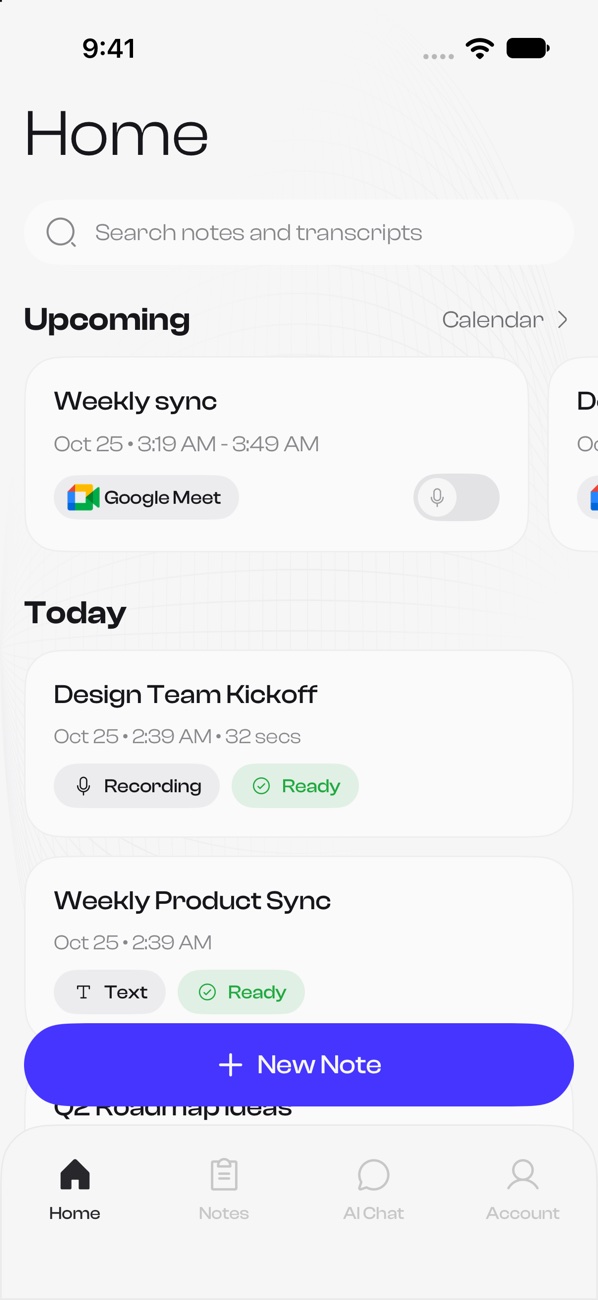
Add a Zoom, Meet or Teams link and a bot joins, records and writes the notes for you.
Think out loud and let the app turn the ramble into structured notes.
Record the class, get a clean summary and ask the transcript questions before the exam.
Paste a link or upload audio, video, PDF or text and get a summary in minutes.
Every word transcribed with speaker labels, ready to search and quote.
Record from your phone or your Apple Watch, even offline. Sync happens when you are back.
The notes app that listens, so you can think.
No more typing during calls. Record once and let the notes write themselves.
Ask a question about one note or across many and get answers with the source.
Transcribe and summarize in many languages and translate summaries on demand.
Use ready-made summary templates or build your own for meetings, lectures and more.
Connect your calendar and the bot can join your meetings automatically.
iPhone, Apple Watch and widgets. Recordings are kept safe on the device until they sync.
New feature
Zoom, Google Meet and Microsoft Teams. Connect your calendar and it shows up on time.
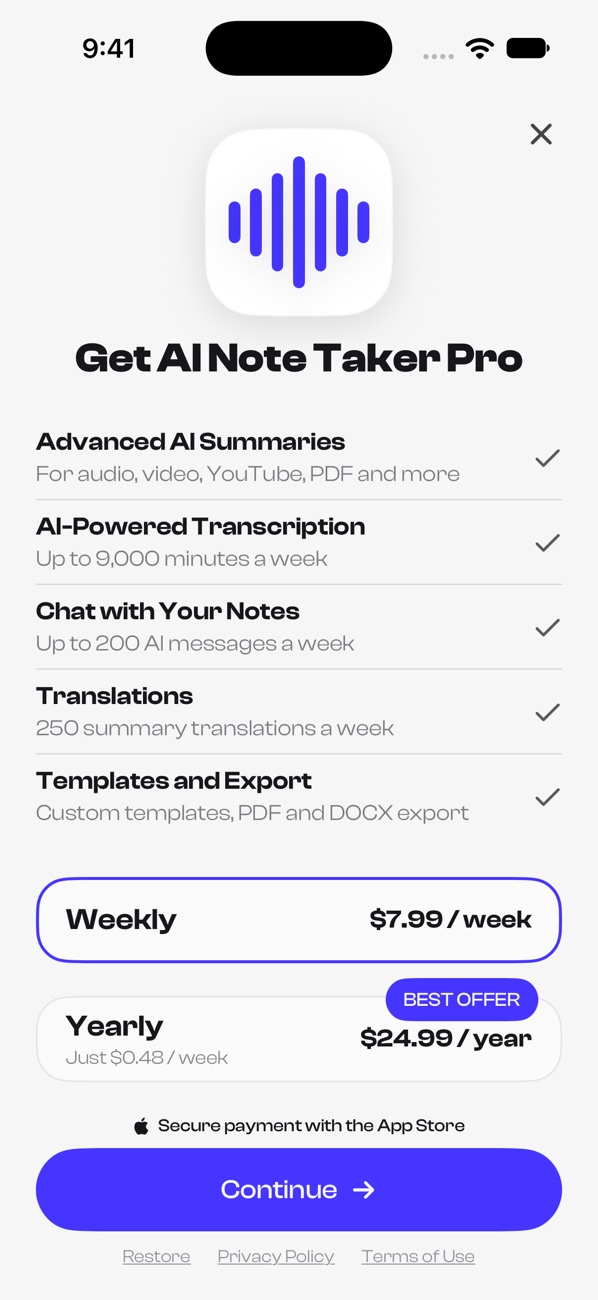
Everything in the list below is part of Pro. Free includes one note, so you can try the whole flow before upgrading.
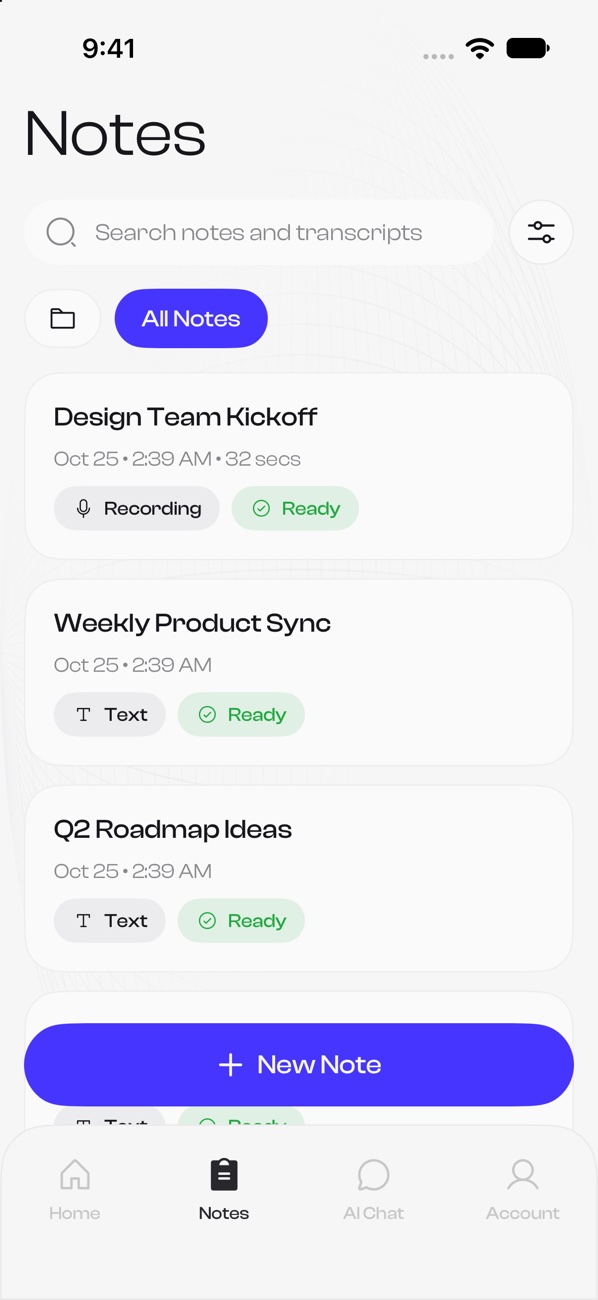
Every note in one place. Recordings, meetings, YouTube links, documents and text. Search all of them and see what is ready at a glance.
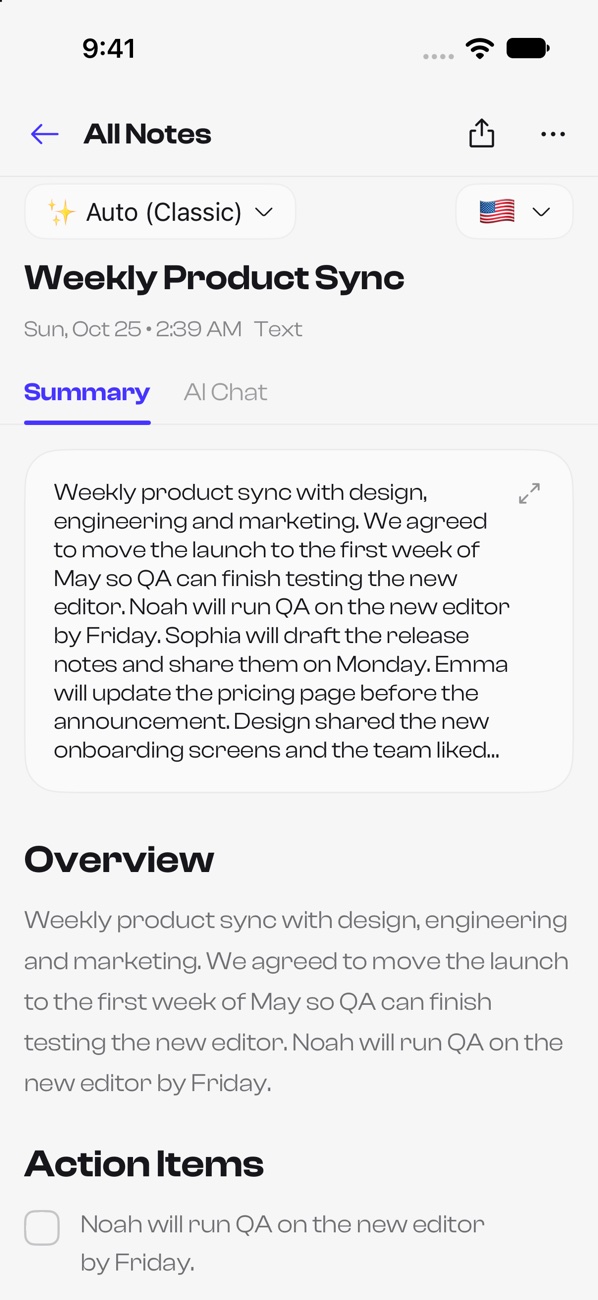
Smart summaries. Overview, action items and key decisions in seconds. Pick a template or write your own to match how you work.
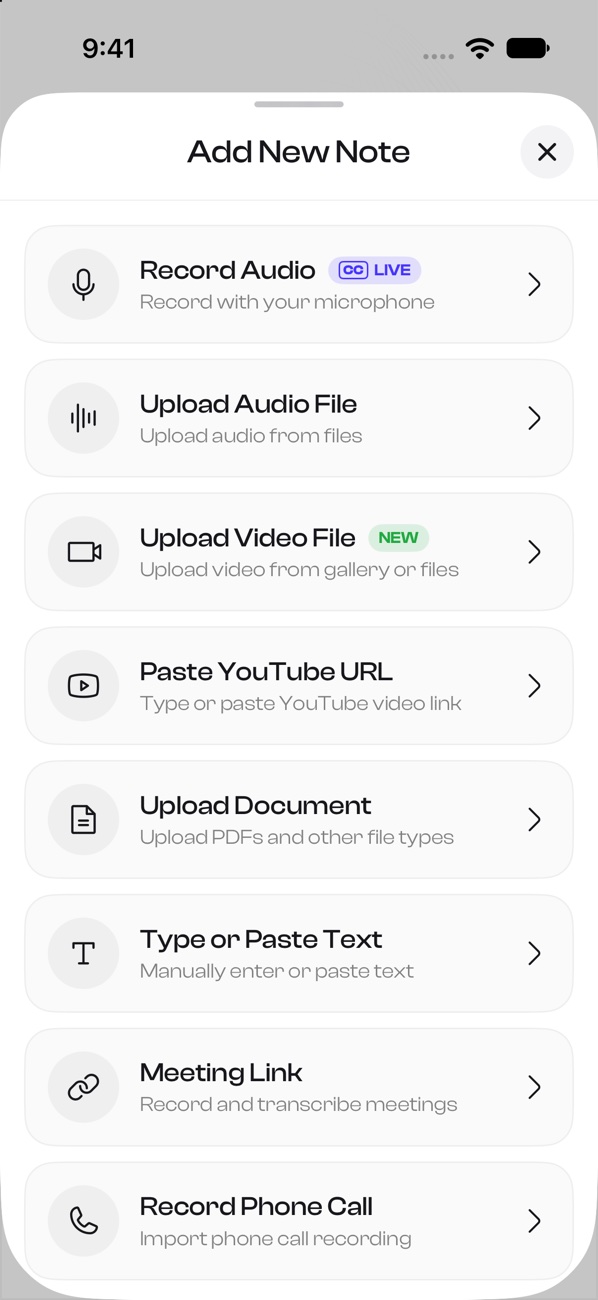
Add notes any way you like. Record, upload audio or video, paste a YouTube link or a document, type text or add a meeting link.
Meetings that run themselves. Connect your calendar and see your next calls on Home. The bot can join and take the notes for you.
It captures your audio, turns it into text and then writes a clear summary tailored to your content. You get instant notes without the effort.
The free plan includes one note. Upgrade to Pro to create many more notes with full transcripts and summaries.
Your recordings and notes stay private and protected. You can delete a note or your whole account from the app at any time. Read more in our Privacy Policy.
Record with your microphone, upload audio or video files, import PDF, DOCX or TXT documents, paste text, paste a YouTube link, or add a meeting link.
Yes. Chat with any note, or ask about several notes at once, to get answers, summaries and action points.
Yes. Add a Zoom, Google Meet or Microsoft Teams link and a bot joins and records. Connect a calendar and it can join your scheduled meetings for you.
More questions? See all answers
Download AI Note Taker and turn your next conversation into a page you can search, share and ask questions.